Staring at a blank prompt box can make your mind go blank, too. If you’re new to this whole world of AI image prompts for beginners, it’s completely normal to feel stuck. You have an idea, maybe something soft and springy, but no clue what to type.
Here's the good news: AI image prompts for beginners don’t need to be long or complicated to work well. In most cases, you'll get better results by starting simple, then adding a little direction.
That matters because AI already fills in the gaps for you. So the goal isn't perfect wording. It's clearer wording. A few useful details can turn a random image into something that actually fits your project, so your images start to feel like something you can actually use, not just something you generated.
Why simple AI image prompts work better than you think
Most image tools work a bit like a helpful, slightly unpredictable assistant. You give them a few clues, and they try to finish the picture.
That can feel magical at first. Still, it can also feel confusing when the result looks nothing like the image in your head.
AI fills in the blanks, for better or worse
If you type only two words, the generator has to make a lot of choices for you. It decides the style, mood, colors, layout, and sometimes even the purpose of the image.
Sometimes that surprise is fun. Other times, it's like asking for “tea” and getting a glittery teacup floating in outer space.
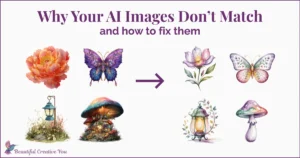
That's often the real reason beginners feel stuck. The tool isn't broken, and you aren't doing it wrong. You just haven't given it enough to work with yet. If you want a fuller look at why AI images don't match and fixes, that guide explains the mismatch in a very beginner-friendly way.
A little more direction gives you a lot more control
Small prompt upgrades make a big difference. Add the image type, a style, a mood, or a layout note, and the result usually gets steadier.
And the best part is—you don’t need a lot more detail, just the right kind of detail.
In other words, you don't need more words just for the sake of it. You need better clues. Think of it like giving directions to a friend. “Go somewhere nice” is vague. “Meet me at the flower market near the bakery” gets everyone to the same place faster.
Use this simple AI image prompt formula for beginners
You don't need to memorize this, just use it as a guide. A simple structure keeps you from guessing what belongs in a prompt.
Here's the basic formula:
| Part | What it does | Quick example |
|---|---|---|
| Subject | Names the main thing | spring flowers |
| Type | Tells what kind of image | clipart |
| Style | Guides the visual look | watercolor illustration |
| Mood | Sets the feeling | light and airy |
| Composition/details | Shapes layout and use | isolated on white background |
You don’t have to use every part every time—but having a few of these in place gives your prompt shape, and that’s what leads to more consistent results. This is one of the easiest ways for beginners to improve AI image prompts without overthinking it.
Even adding just one or two of these elements can make your results feel more intentional.
This mirrors how many tools sort visual info. So if you're still deciding which platform fits your project, this guide can help you pick the right AI image generator.
Subject + type tells the AI what you want to make
The subject is the thing itself. The type is the format.
For example, “tulips” gives the tool a subject. “Tulips clipart” gives it a subject and a job. That second version is already more useful.
The same goes for “spring sale social media graphic” or “dreamy spring photo-style image.” Once the AI knows what kind of image you want, it stops wandering as much.
Style, mood, and composition shape the final look
This is where the image starts to feel like yours.
Style can mean watercolor, minimal design, or photo-style art. Mood can mean peaceful, cheerful, or airy. Composition tells the AI how to arrange things. That might be “isolated on white background,” “clean layout,” or “wide open composition.”
You don't need perfect prompts. You need prompts with enough shape to guide the image.
3 simple AI image prompt examples for beginners you can copy and refine
Here are three easy spring ideas you can try. Notice how each one follows the same pattern, and how each step adds a little more direction.
You can also tweak these for your own projects.
The same idea could become a sticker, a social post, a printable, or something more personal—just by changing a few words.
Before you try the examples, one small tip that makes a big difference:
Think about the shape of your image, not just the subject.
For example:
• Instagram posts are usually square (1:1) or slightly vertical (4:5)
• Pinterest pins are vertical (2:3)
• Wall art is often vertical (2:3 or 3:4)
Most image tools let you adjust this with a setting or dropdown.
If you're using MidJourney, you can add something like --ar 4:5 at the end of your prompt to control the shape.
Spring clipart prompt for planners, stickers, and printables
Start: spring flowers
Refine: spring flowers clipart, spring color palette
Final: spring flowers clipart, watercolor illustration, fresh spring color palette with soft natural tones, clean defined edges, minimal shading, isolated on a white background, light and airy feel.
See how each step adds a little more direction?
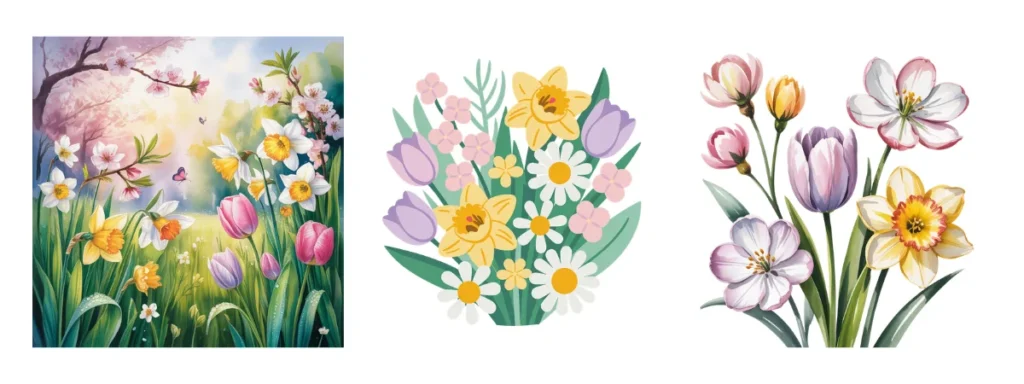
This works well because the final prompt tells the AI what the image is for. It's no longer just flowers. It's a usable little design piece. Same idea, better result. Notice how the middle step starts to define the purpose of the image—and the final step turns it into something you can actually use as a background or layout.
Spring sale graphic prompt for social media posts
Start: spring background
Refine: spring background frame, floral accents, soft natural tones
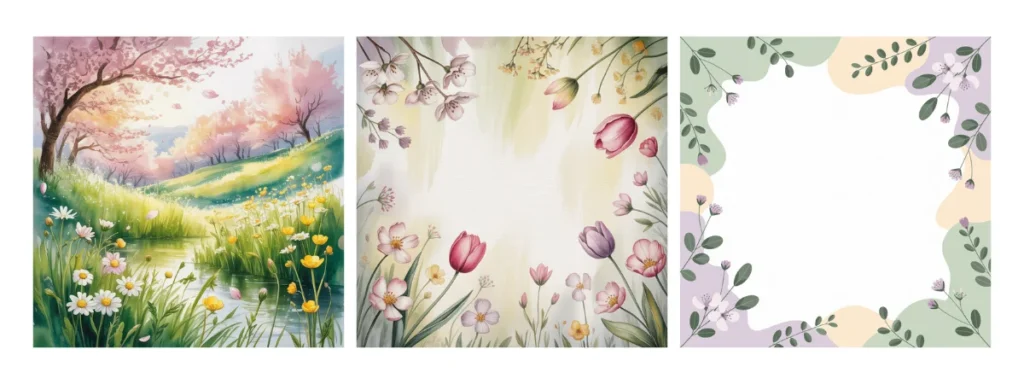
Final: spring background frame, modern minimal design, fresh spring color palette with soft natural tones, subtle floral accents around the edges, open center space for text, light and airy aesthetic, no words, no letters
If you're using MidJourney, you could write it like this:
spring sale social media graphic, modern minimal design, fresh spring color palette, clean layout, bright seasonal tones, subtle floral accents, space for text, Instagram post style –ar 4:5
If you're using a generator other than Midjourney simply find the setting for your image size and dimension and set it to 4×5.
This one becomes much more useful once the layout and purpose are clear. The AI now knows you want a usable background or layout—not a fully designed image with text already added. Again, each step adds guidance without making the prompt complicated.
Dreamy flower sunrise prompt for a soft, soulful spring image
Start: sunrise flowers
Refine: sunrise over flowers, soft light
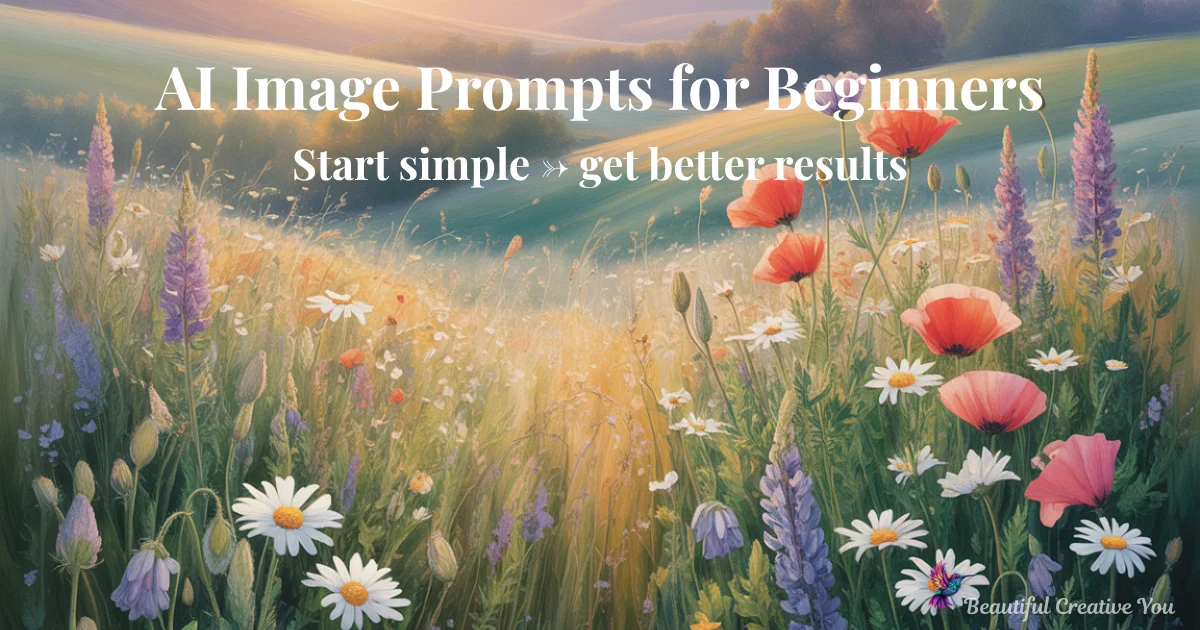
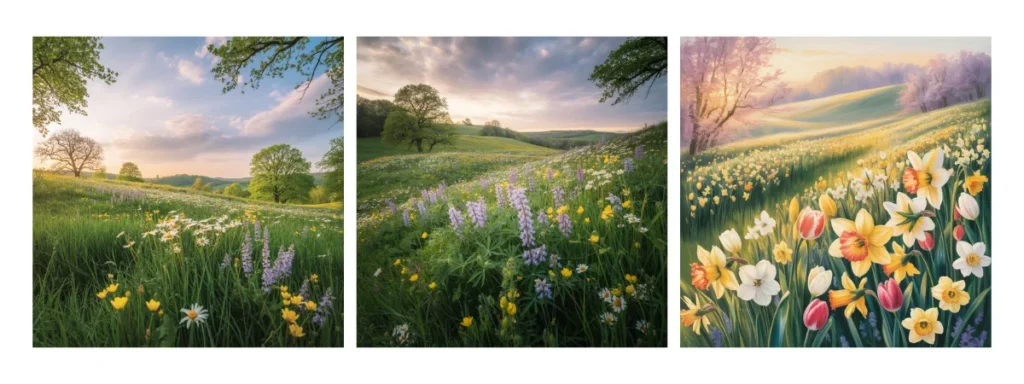
Final: dreamy sunrise over a field of flowers, soft glowing light, fresh spring color palette with soft natural tones, peaceful and uplifting mood, gentle haze, wide open composition, serene atmosphere
For a printable or wall art piece, you might choose a vertical shape (portrait style) like 2:3 or 3:4 or horizontal shape (landscape style) like 3:2 or 4:3 depending on how you want to display it.
Same basic idea, very different result depending on how you describe it.
If this structure feels helpful, that’s because it removes the hardest part for beginners—figuring out how to phrase the idea.
I created a simple AI Prompt Generator that follows this same structure, so you’re not guessing what to type or how to organize your prompt.
✨ Try the AI Image Prompt Generator here.
The generator handles the structure so you can focus on the image you want to make.
And if AI still feels a little noisy or overwhelming, this gentle guide can help you shift from AI overwhelm to playful practice.
If your first result isn’t quite right, that’s completely normal.
Small adjustments to your words can make a big difference, and that’s part of the process—not a mistake.
Spring projects are a lovely place to begin because they're light, forgiving, and full of easy inspiration. Try flowers, birds, seed packets, garden tools, or soft morning skies.
You don't need perfect prompts to make something beautiful. Start simple, refine as you go, and trust that clearer words usually lead to better images.
This is how AI image prompts start to feel easier and more natural for beginners.
Try a few spring ideas and see what happens. A small prompt can open a surprisingly beautiful door.
Try this simple spring AI image prompt challenge for beginners
You might be surprised how quickly something simple starts to feel like a real project.
This is a simple way for beginners to practice AI image prompts without feeling overwhelmed.
Pick one spring subject—something like flowers, a garden scene, a seasonal phrase, or even something personal to you.
Then use the simple → refine approach to create three different types of images:
• a clipart-style image (for stickers, planners, or printables)
• a social media background or post image
• a soft, more finished image for wall art or a card
Notice how the same idea can shift depending on how you guide it.
If you’d rather not build the prompts from scratch, you can also run your idea through the AI Prompt Generator and let it create a structured starting point for you.
Either way, the goal isn’t perfection—it’s seeing how a small shift in your words can completely change the result.
“The goal isn’t perfect prompts—it’s prompts that give your idea enough shape to come to life.”
Here's to making magic,
Terre | Beautiful Creative You
✨ Does creating the image sometimes take longer than creating the thing you needed the image for?
If you’ve ever felt stuck staring at a blank prompt box, you’re not alone.
I made a little free AI Image Prompt Generator for exactly that. Tell it what you want to create, and it helps turn the idea into a ready-to-use prompt.
💜 Let’s stay connected!
I’d love to cheer you on and share even more creative sparks with you:
- Join the conversation in my free Facebook group: Beautiful Creative You Community
- Follow me on Facebook
- Follow along on Instagram
- Find fresh ideas on Pinterest
🌟 Come say hi — I’d love to see what you’re creating.