Curious what the best way to write AI image prompts for beginners is, you’re not alone.
That blank prompt box can make even smart, creative people feel oddly stuck
I see this all the time—and I’ve done it myself.
You sit down with a simple idea… and suddenly it feels like there are too many ways to say it and no clear place to start. If that sounds familiar, you're not bad at this, you're facing too many choices and not enough clarity. That’s especially true when you’re first learning how to write AI image prompts.
AI image prompts for beginners can feel harder than they should. The good news is that prompts don't need to be long, fancy, or perfect. They get easier when you stop chasing the right words and make a few simple choices first. And AI image tools like MidJourney, Canva or Ideogram can help bring your ideas to life.
What makes AI image prompts so easy to overthink?
Prompting looks simple from the outside. Then you sit down to try it, and suddenly there are style words, settings, prompt formulas, and ten different opinions on what “works.” No wonder your brain hits the brakes.
Too many options can make a simple idea feel complicated
A simple image idea, like a bunny sticker or a cozy kitchen scene, can turn into mental clutter fast. One creator says to use long prompt strings. Another says short prompts work best. Someone else swears by negative prompts, camera terms, or special formatting.
So instead of making the image, you start managing advice—and somehow end up creating absolutely nothing. (Ask me how I know 😄) That eats up your energy before the fun part even begins.
This is why AI image prompts for beginners often feel more complicated than they need to be.
Most beginners don’t need more prompt tricks. They need a clear place to start. When you know the subject, the use, the style, and the mood, the prompt stops feeling like a test. You just need to be willing to try it, see what happens, and adjust.
When results change every time, it is hard to know what matters
Then there's the part no one warns you about enough, results vary. You can type the same idea twice and get two different images. That doesn't mean you're doing it wrong.
Variation is part of the process. The prompt matters, but it isn't the only thing shaping the image. The tool, the model, the random seed, and the platform's own behavior all play a part.
So if one result looks lovely and the next one looks mildly haunted, take a breath. That's not failure. That's normal. You can't control every outcome, but you can learn what changes the direction.
The biggest mistake for beginners when writing AI image prompts is trying to be perfect
A lot of people assume a good prompt must sound polished or technical. They try to pack in every detail at once, hoping that more words will force a better result. Usually, it does the opposite.
You do not need complicated wording to get a good image
AI does not give extra points for sounding clever. You don't need a prompt that reads like a film brief mixed with a design manual. Plain language often works well because it tells the tool what you mean without all the fog.
You can't break anything, and you can't do it wrong. You can only notice, adjust, and do it better next time.
That shift matters. It turns prompting from performance into play. And that's when better images start to show up.
Simple prompts often work better because they are clear
Simple prompts are easier to test. If your first result is off, you can see what to change. Maybe the style is wrong. Maybe the mood feels flat. Maybe the image looks detailed when you wanted clean clipart.
When a prompt is stuffed with ten style terms and five visual effects, it's hard to know which part changed the image. Clear intent beats prompt stuffing almost every time.
In other words, don't try to impress the tool. Help it understand you.
Sometimes the simplest prompts create the best images.
A simple method to improve AI image prompts for beginners
If the blank box makes your mind spin, use a short framework. Four choices are enough to get moving… And once you have those, that’s where the play begins.
This simple approach makes writing AI image prompts for beginners much easier.
Start with what you want to create
Start with the idea—the part you already know. This is the anchor of the image.
It might be a forest cottage, a floral frame, or a cozy reading nook.
The subject tells the tool what the image is about. Without that anchor, everything else floats.
For example:
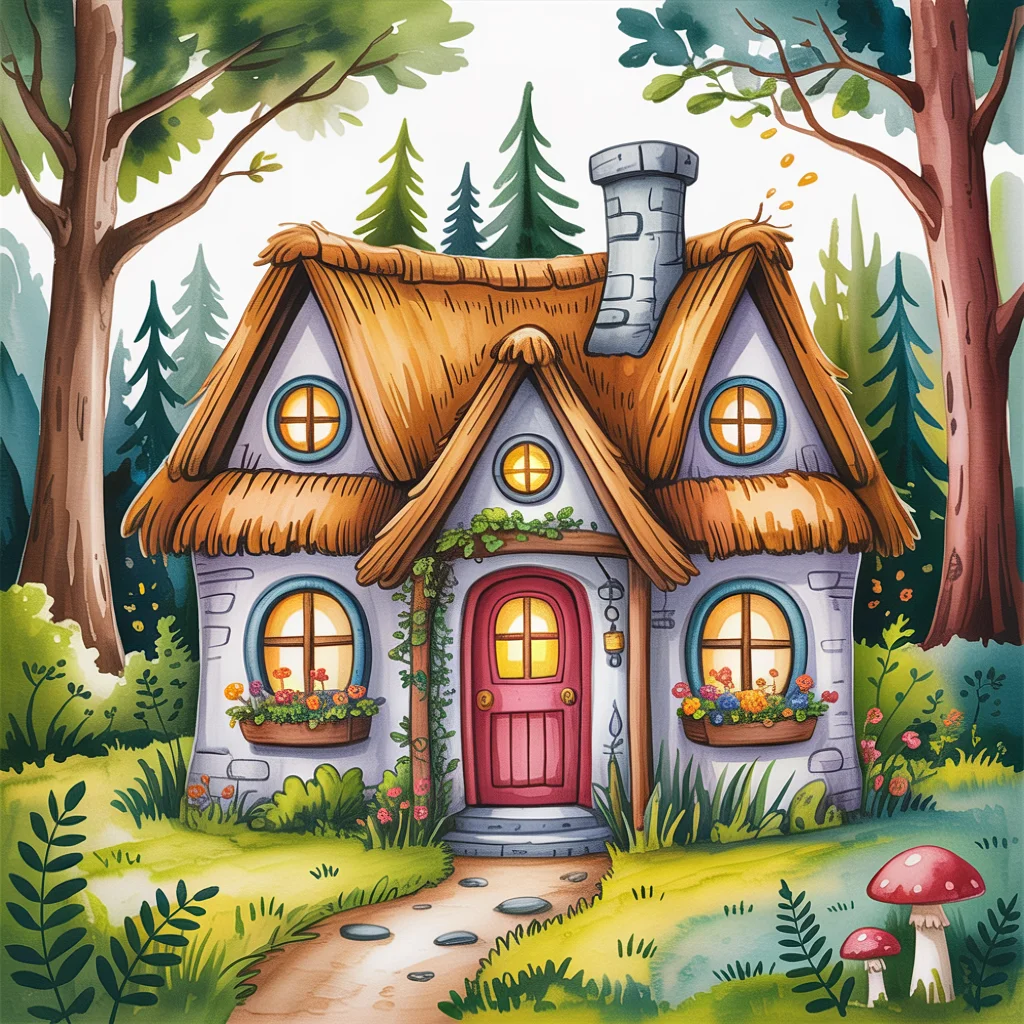
forest cottage clipart, hand-drawn style, cozy and playful
Add what the image is for
It helps to begin with the end in mind—not just what you want to create, but how you’ll use it.
Are you making clipart? A printable? A coloring page?
That small bit of clarity makes a big difference in how your image turns out.
So, have an idea of what the image will be used for. This step helps more than people expect.
A printable workbook page needs a different look than wall art. Clipart, stickers, coloring pages, story illustrations, and affirmation cards all ask for different kinds of images. Purpose helps the tool make better visual choices.
Choose a style that matches your vision
Now pick one style. One is enough.
Try watercolor, vintage, hand-drawn, storybook, clean, or bold. Keep it simple so the image has one clear direction. If you stack six styles together, the tool may give you a muddled blend.
Name the mood or feeling you want
Finally, add the feeling. Mood gives the image its tone.
Words like cozy, playful, calm, bright, magical, or soft can guide the finish. They aren't technical, and that's the point. You're giving the tool a vibe, not writing a lab report.
A beginner-friendly prompt could be: forest cottage clipart, hand-drawn style, cozy and playful. That's enough to start. You can always build from there.
Start simple, then adjust based on what you see
This is where prompting gets easier. You write the plain version first, look at the result, and then tweak one thing at a time. That's far less stressful than trying to nail everything in one shot.
The real magic comes from iteration, not perfection
Your first image doesn't need to be the final one. It only needs to show you something useful.
Maybe the subject looks right, but the mood feels cold. Maybe the style is sweet, but the image is too busy. Good, now you know what to change. Test, tweak, repeat. That's the whole rhythm.
And it’s a lot more fun than trying to get it perfect the first time.

A simple structure or ai image prompt generator can remove the guesswork for beginners
Sometimes the hardest part is just getting started. A light structure, template, or prompt generator can help because it removes that blank-box pressure.
You're not using it to avoid thinking. You're using it to stop spinning. For beginners, that can mean faster progress and more finished image sets, which is often the real goal.
The blank prompt box only feels intimidating when you think every word has to be perfect. It doesn't. Clarity comes first, then adjustment. Especially when you’re just starting out with writing AI image prompts.
Pick the subject, the use, the style, and the mood. Then press go and see what happens.
You don’t need to get fancy. You don’t need to figure everything out.
You just need to start simple, play a little, and see what happens.
If you want a little help getting started, you can try my simple AI prompt generator—it takes care of the structure so you can focus on your idea.
✨ Try This Simple Prompt Challenge
Pick one idea you’d love to create.
Then write a simple prompt using:
- what it is
- what it’s for
- a style
- a mood
Run it once.
Then tweak just one thing and try again.
That’s it.
No perfect wording. No overthinking. Just see what happens.
I'd love to see what you come up with.
“Clarity comes from doing, not from thinking about doing.”
Until next time, play, have fun and create something uniquely yours!
✨ Here's to making magic,
Terre 💜
✨ Does creating the image sometimes take longer than creating the thing you needed the image for?
If you’ve ever felt stuck staring at a blank prompt box, you’re not alone.
I made a little free AI Image Prompt Generator for exactly that. Tell it what you want to create, and it helps turn the idea into a ready-to-use prompt.
💜 Let’s stay connected!
I’d love to cheer you on and share even more creative sparks with you:
- Join the conversation in my free Facebook group: Beautiful Creative You Community
- Follow me on Facebook
- Follow along on Instagram
- Find fresh ideas on Pinterest
🌟 Come say hi — I’d love to see what you’re creating.