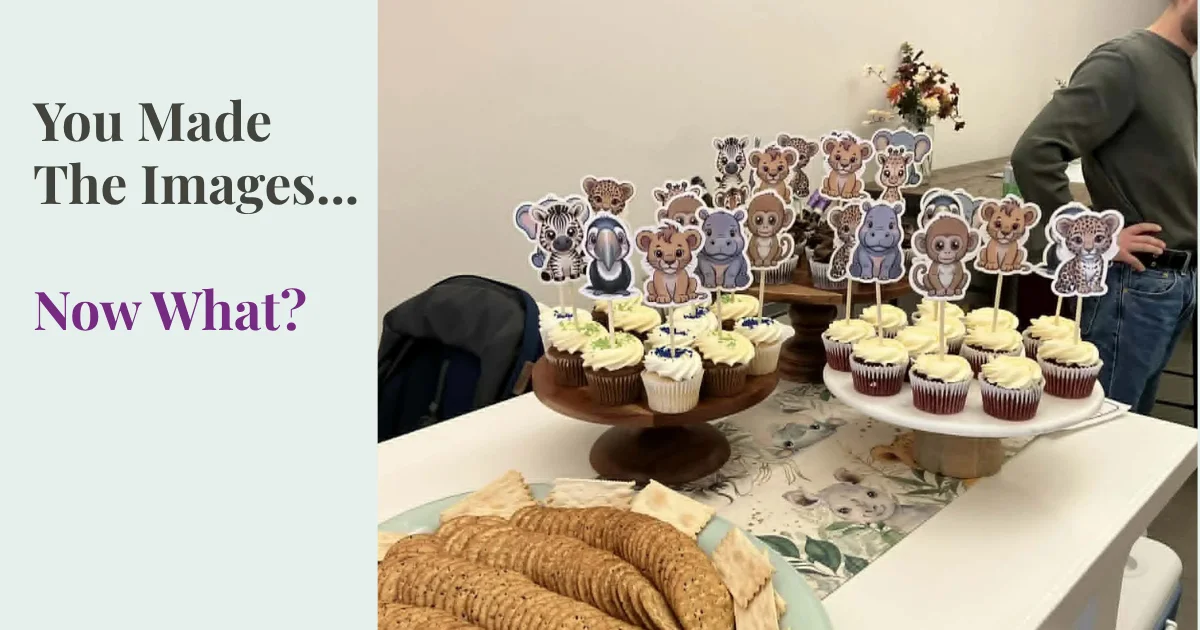
Last week I was in my happy place—making baby shower decorations for my grandbaby who will be here in just a few short weeks. This is exactly why I focus on simple projects you can create with AI images instead of just making more images.
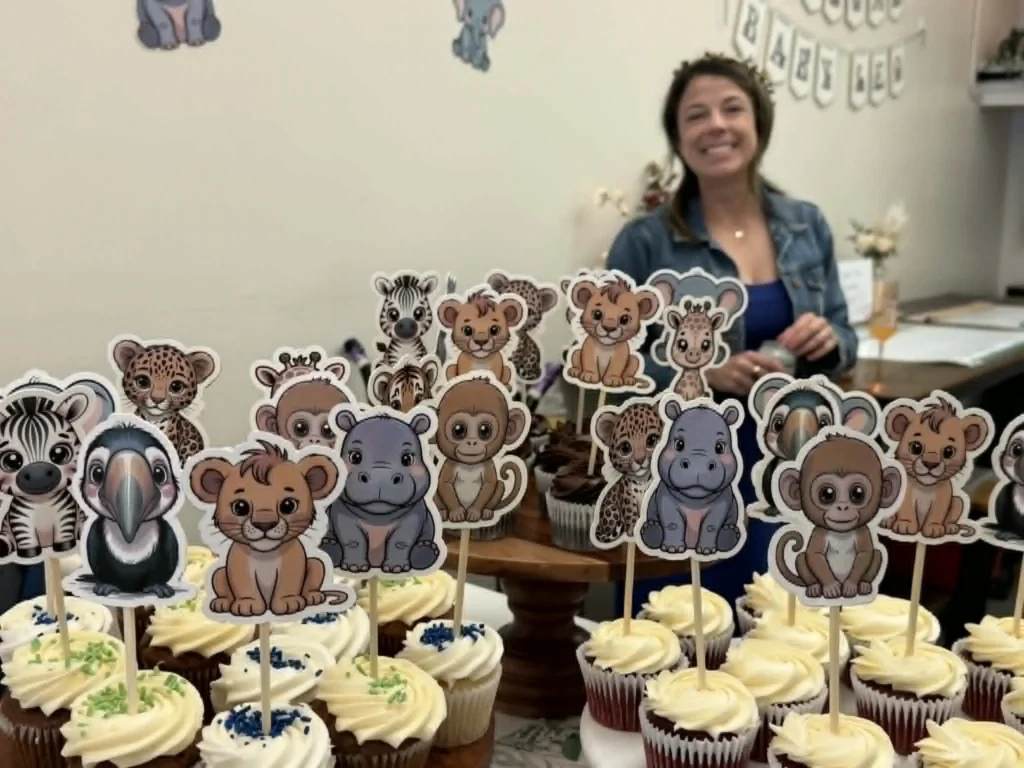
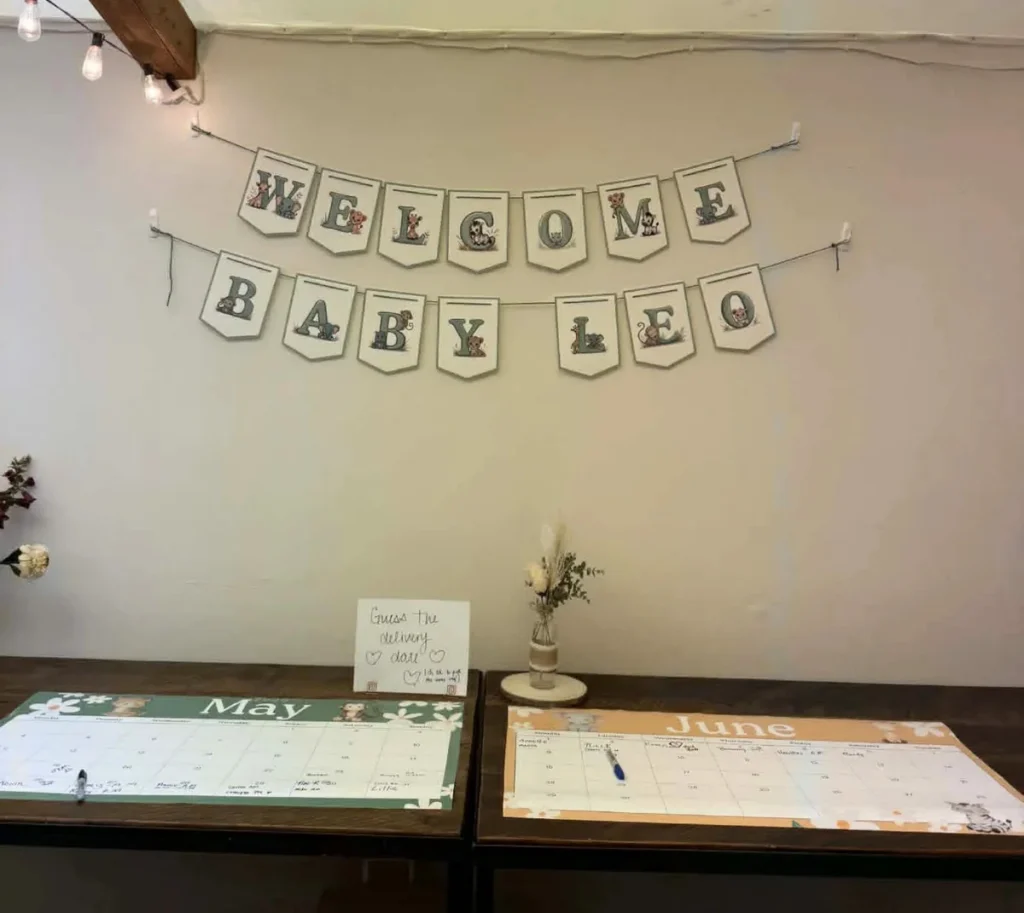
Tiny safari animals turned into cupcake toppers, bunting letters, and little printed pieces I could actually hold in my hands.
And then at the shower, I got to see it all come to life—on the table, on the wall, part of something real and meaningful.
That’s when it clicked again…
The real question isn’t just how to make AI images.
It’s what to make with them once you have them.
If you’ve been curious about AI but your folder is starting to look like a craft closet after a sale, you’re in good company.
The good news is that beginners do not need a giant plan. You need one small, useful idea, and a short list of projects you can create with AI images that feel possible to finish.
Why starting with a project makes AI images more useful
Making random images can feel productive for about ten minutes. After that, it often turns into a pile of pretty files with no clear job. That is when the fun starts to wear thin.
If you’ve ever ended up with a folder full of images and no clear next step, I wrote more about why that happens here. What to do with AI images
A small project changes everything because it gives the image a destination. Once you know where the image is going, your choices get easier. Style, color, size, and layout stop feeling random.
Random images are fun, but projects give you focus
A project acts like a frame. If you are making a card set, you need images that work together. If you are making a printable, you need space, balance, and a clean layout. One purpose helps you decide faster and edit less.
Without that focus, every new prompt pulls you in a new direction. The folder grows, but the result stays fuzzy. A clear use keeps you from chasing ten moods at once.
Small wins build confidence faster than big plans
Most beginners learn more from finishing one tiny set than from making 100 unrelated images. A set of five matching cards teaches consistency. Three social posts teach repetition. Four clipart pieces teach how to keep a style steady.
The best beginner project is the one you can finish this week.
That kind of progress builds trust in your own process. You stop waiting to feel “ready” and start seeing what works.
These aren’t big, complicated ideas. They're simple projects you can create with AI images that are small enough to actually finish.
10 Simple Projects You Can Create with AI Images (Even as a Beginner)
These ideas are practical, low-pressure, and easy to picture in real life. None of them need a huge collection or a perfect system. They are small enough to finish, which is part of the point.
Social media post sets that look polished without a big design plan
This is one of the easiest projects you can create with AI images because the finish line is small. Make three to five matching visuals around one topic, such as encouragement, seasonal tips, or soft quote posts.
Because the set is short, you can focus on keeping the colors and mood consistent. You also get something useful right away, which is more satisfying than another folder of experiments.
Printable wall art for affirmations, seasons, or gift giving
Wall art is simple because one image can become one finished printable. A floral piece with an affirmation, a cozy fall design, or a gentle holiday print can all work well.
This project also feels personal. You can make something for your own home, tuck one into a gift, or print a few and see which style you enjoy most.
Affirmation or quote cards you can print, share, or package as a set
A deck of five to 10 cards is a sweet spot for beginners. It is small enough to finish, yet large enough to feel like a real collection.
These cards work for journaling, gifts, personal use, or a simple digital product later on. Because each piece is small, you do not need grand artwork. You need a cohesive feel and enough breathing room for the words.
Coloring pages for kids or adults using clean, simple line art
Coloring pages are useful because they reward simplicity. Flowers, animals, holidays, and calm repeating shapes all make good themes. The goal is not fancy detail. The goal is clean line art that prints well.
That makes this a gentle place to practice creating something usable, not merely pretty.
Clipart sets you can reuse across crafts, printables, and small products
Clipart is a smart beginner project because one theme can stretch a long way. Try florals, kitchen items, woodland animals, holiday icons, or party graphics.
A set of four or six matching pieces is enough to start. Later, you can use those same images in worksheets, cards, tags, or product mockups. One small set can quietly do a lot of work.
Sticker sheets that turn a few cute images into something real and fun
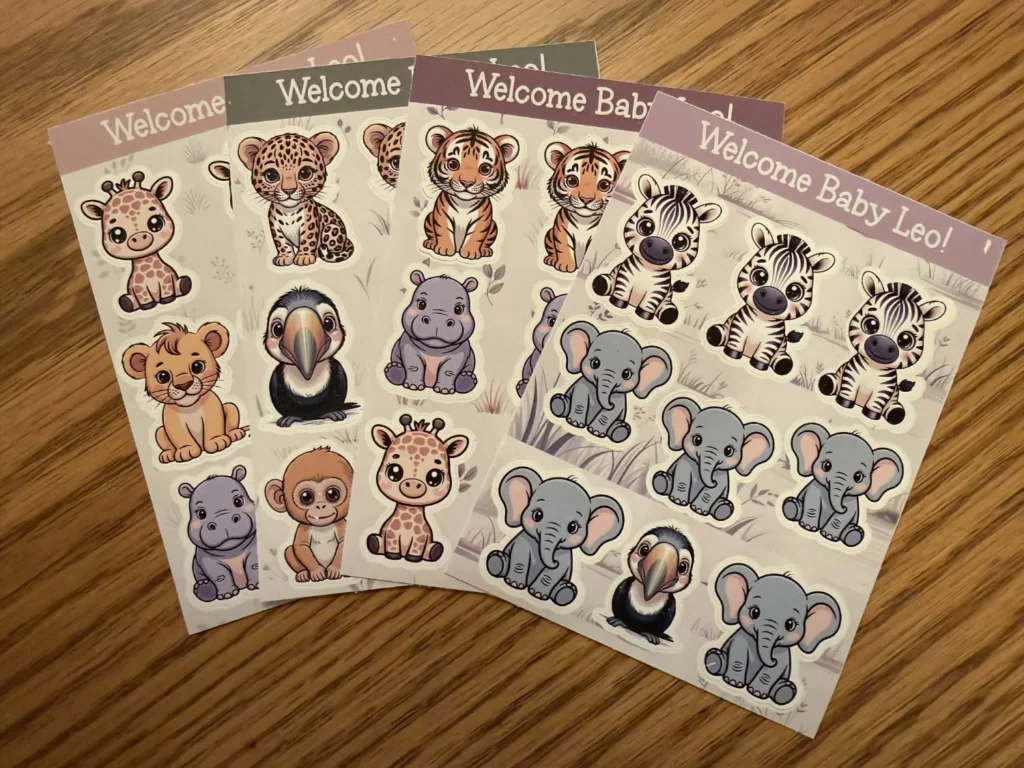
This is where things get satisfying fast. Those little safari animals from the baby shower started as simple images. Then they became cupcake toppers, wall decorations, and a coordinating bunting. I also turned them into simple sticker sheets — same images, just used in a few different ways.
That is what makes sticker sheets such a good beginner project. A few cute images can also become planner stickers, favor tags, party labels, or small gifts. Once the art exists, you can use it more than once, which feels like a nice bonus for your effort.
Journaling or planner pages that feel personal and easy to use
If you love paper, this one makes sense quickly. You can create prompt pages, decorative inserts, habit trackers, or themed journal sheets with gentle artwork.
This project works well because it joins beauty with use. The image does not have to carry the whole page. It only needs to support the mood and make the page feel inviting.
Phone wallpapers and screensavers for a quick, satisfying first win
Phone wallpapers are a great first finish because the payoff is instant. You make one image, size it correctly, and use it the same day.
Try a calming abstract background, a seasonal scene, or a simple quote design. When you want a low-stress project that still feels real, this one is hard to beat.
Greeting cards for birthdays, holidays, and everyday encouragement
A greeting card is one of the most natural ways to turn an image into something finished. One illustration, one short message, and suddenly you have something useful.
You can print cards at home, send them digitally, or save a small collection for later. This project is especially good if you enjoy making thoughtful things without making a huge set.
Small themed bundles that combine a few ideas into one simple offer
After you finish one project, you may notice a few pieces belong together. A floral wall print, a matching phone wallpaper, and a small card set can become a tidy mini bundle.
This is a nice next step if you want your work to feel more organized or product-ready. Start with two or three related items. Keep the theme narrow, and the bundle will feel cohesive without much strain.
How to choose your first AI image project without overthinking it (projects you can create with AI images)
Most overwhelm comes from trying to pick everything at once. You do not need to choose your style, audience, product line, and future business model by Tuesday. You need one first project.
If you’re still not sure which generator to use, I walk you through a simple way to choose one here. How to Pick the Right AI Image Generator
Still, the project choice matters first.
Pick one project you can create with AI images, not ten ideas
Decide where the images will go before you generate them. Social posts, quote cards, stickers, printables, and wallpapers all ask for different choices. One use makes the rest simpler.
That one decision shapes the mood, format, and amount you need. It also helps you stop collecting inspiration like it is an Olympic event.
Keep it small, finish it, then build from there
Start with three to five images. That is enough to learn something without draining your energy. A small finished set teaches more than a giant unfinished collection ever will.
Perfection can wait. At the beginning, done is the skill to build. After that, you can refine.
Start small, finish something, and let that be enough for now
You don't need 100 images. You don't need a perfect system. What you need is one finished project that proves this can move from screen to real life.
The goal isn’t more images—it’s choosing projects you can create with AI images that actually go somewhere.
If you want help turning one idea into a small, usable set, the AI Image Prompt Generator can help you get started without overthinking the setup. It can make the planning part feel less muddy, especially when you want your images to match. The AI image prompt generator handles the prompt structure while you focus on your idea. Then just pop the prompt into your favorite AI Image Tool. (my favorites are Ideogram, Midjourney and Artistly)
The real shift is simple.
Stop asking for more images before you decide what they’re for.
Once an image has a job, everything gets easier.
Easier to make, easier to choose, and much more likely to get finished.
The best path for beginners is still the simplest one. Pick a small project, finish it, and let the learning happen in motion. That is how this starts to feel calmer, and more like your kind of creativity.
If you're not sure where to start, here's a simple way to try this:
Start with one project you can create with AI images
Pick one project.
Just one.
Maybe 3 social posts.
4 clipart pieces.
5 simple cards.
Then stop there and finish it.
Not 40 extras. Not “just in case” versions.
Just one small set that actually becomes something.
And if you want a place to share what you're working on or get a little encouragement, you're always welcome in the group. It’s a little easier to keep going when you’re not doing it alone.
“You probably don’t need more images. You just need something to make with them.”
Here's to making magic,
Terre 💜
Beautiful Creative You
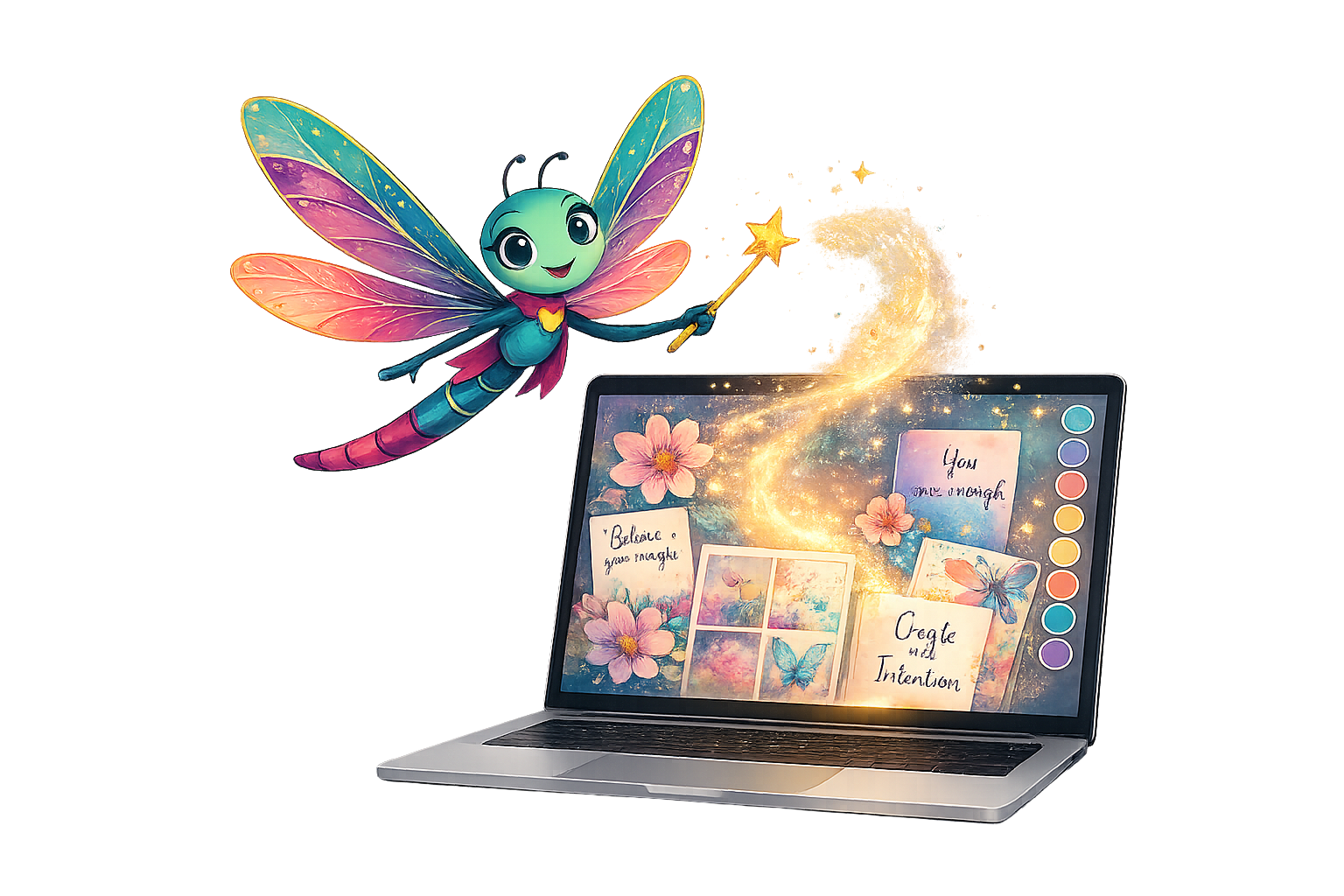
✨ Does creating the image sometimes take longer than creating the thing you needed the image for?
If you’ve ever felt stuck staring at a blank prompt box, you’re not alone.
I made a little free AI Image Prompt Generator for exactly that. Tell it what you want to create, and it helps turn the idea into a ready-to-use prompt.
💜 Let’s stay connected!
I’d love to cheer you on and share even more creative sparks with you:
- Join the conversation in my free Facebook group: Beautiful Creative You Community
- Follow me on Facebook
- Follow along on Instagram
- Find fresh ideas on Pinterest
🌟 Come say hi — I’d love to see what you’re creating.
By the way, some links in this post may be affiliate links, which means I may earn a small commission if you choose to purchase through them (at no extra cost to you).